This FAQ will show you how to create a desktop shortcut that will open a webpage in a dedicated Chrome container. The webpage opens in its own isolated window without the standard browser tabs, address bar, and other UI elements, making it feel more like a standalone application. The method is particularly useful for frequently accessed web applications or services, such as ChatGPT, Salestrekker, Outlook 365, Mercury Nexus, Cloud Storage, or other similar applications. The siloed window provides quick access from your desktop for a cleaner, app-like interface.
An example of a ChatGPT window is as follows:
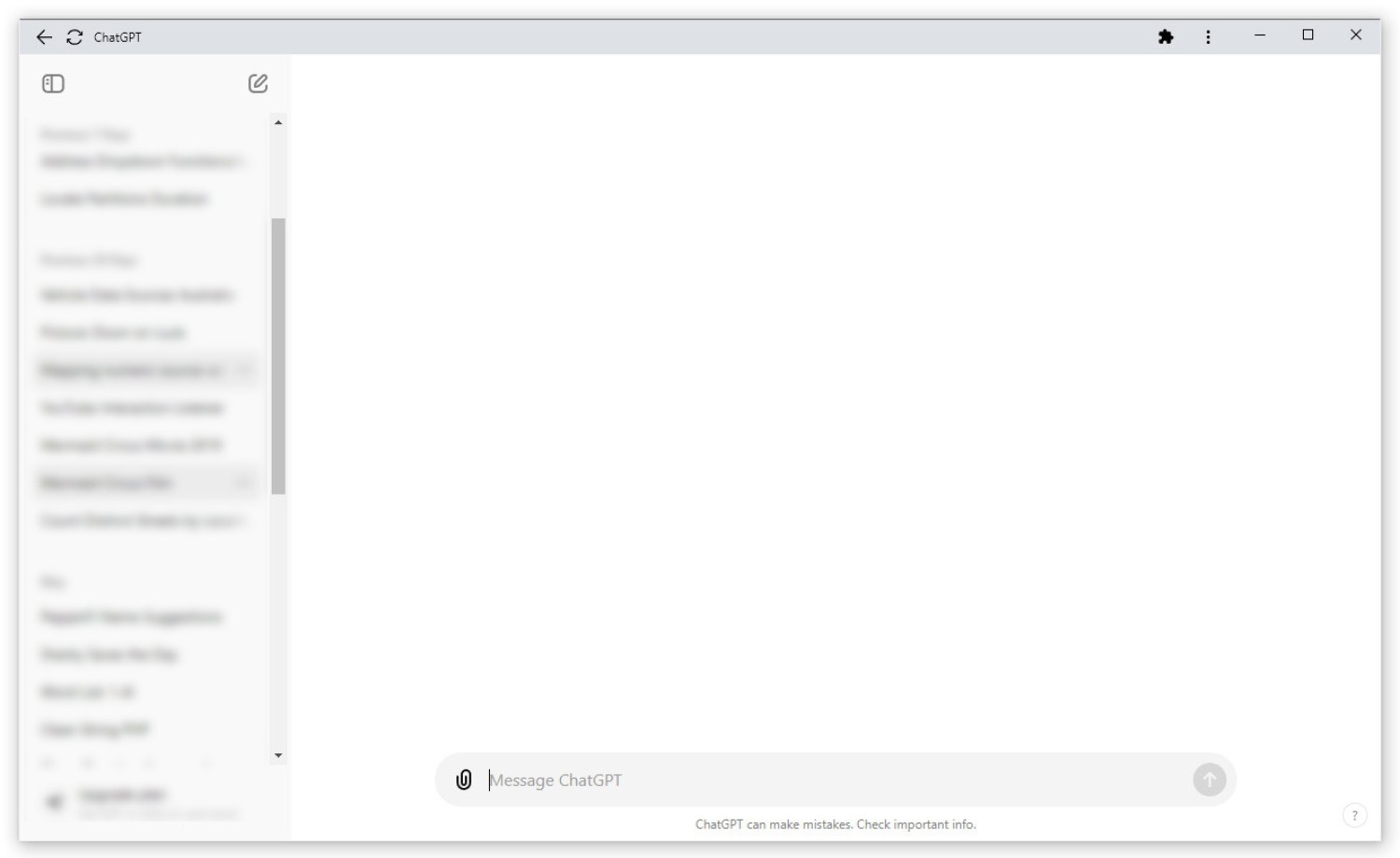
Pictured: The method is particularly useful for frequently accessed web applications or services, such as ChatGPT, Salestrekker, Outlook 365, Mercury Nexus, Cloud Storage, or other similar applications. The siloed window provides quick access from your desktop for a cleaner, app-like interface. Note that the page includes none of the standard browser controls.
Updates to Chrome makes this process simple. Click the three ⋮ (Vertical Ellipsis) icon to the top right of your browser. Navigate to 'More Tools' then 'Create Shortcut'. This will launch a dialog box where you'll be promoted to enter a shortcut name.
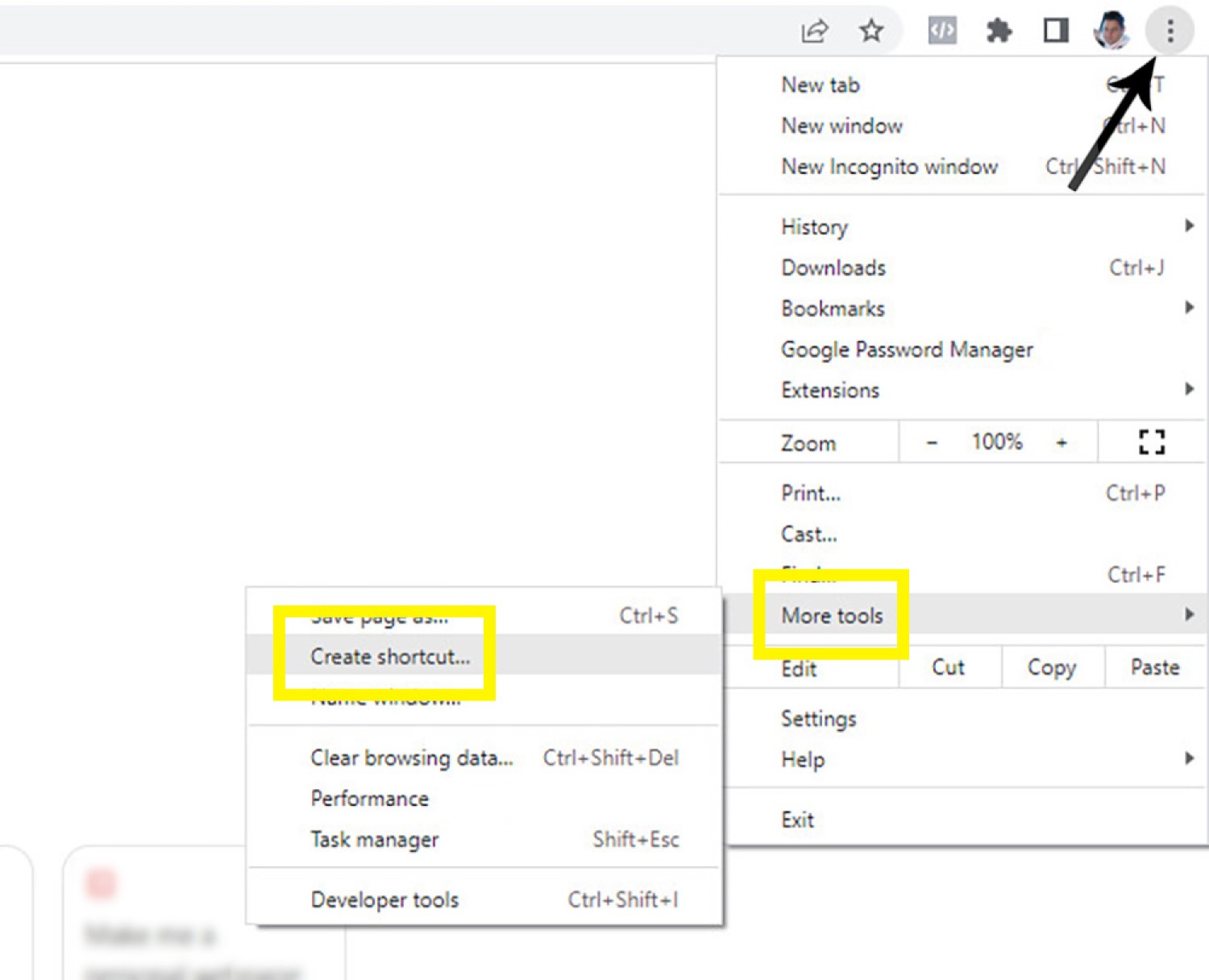
Pictured: Updates to Chrome makes this process simple. Click the three ⋮ (Vertical Ellipsis) icon to the top right of your browser. Navigate to 'More Tools' then 'Create Shortcut'. This will launch a dialog box where you'll be promoted to enter a shortcut name.
Ensure you select the checkbox option that says 'Open as Window'. This will force the application-style interface.
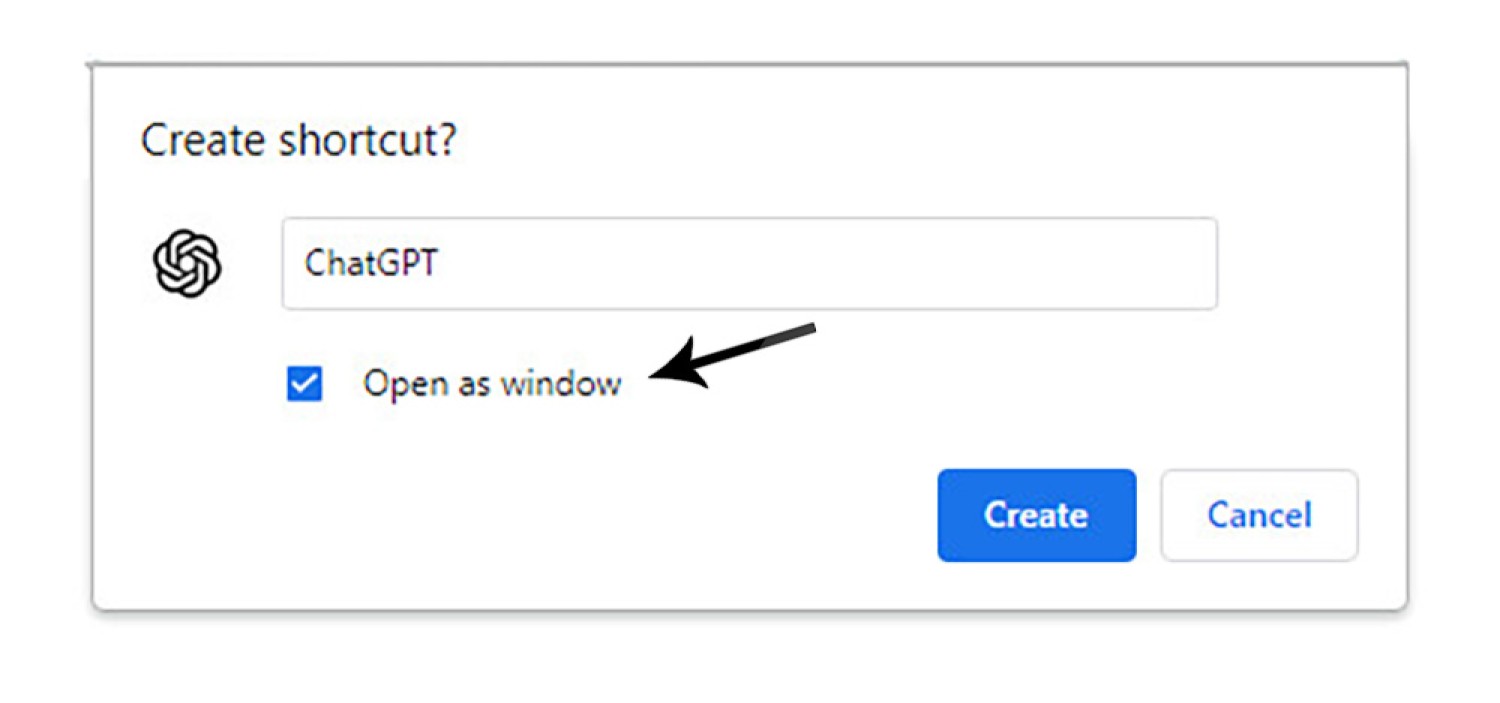
Pictured: Ensure you select the checkbox option that says 'Open as Window'. This will force the application-style interface. Click save and the icon will be created on your desktop.
If you were to use this method with applications such as Outlook, it would be virtually indistinguishable from the desktop version.
The most significant advantage of this method is that the it will show as a standalone application in your toolbar when opened meaning that you won't have to go hunting for a rogue browser tab, and you (likely) won't have multiple browser windows open for any single application.
The older method of creating the window is no longer needed. Previously, we'd have to create a desktop shortcut that resembles the following:
Please contact us if you encounter any issues.