There may be times where we require you to locate and provide your Facebook User ID. This FAQ will detail the process of locating that information. We may ask for this number when you register as a Facebook Developer (it bypasses the requirement to friend us).
Click your profile picture in the top right of your screen. From the returned menu, select 'Settings & Privacy'.
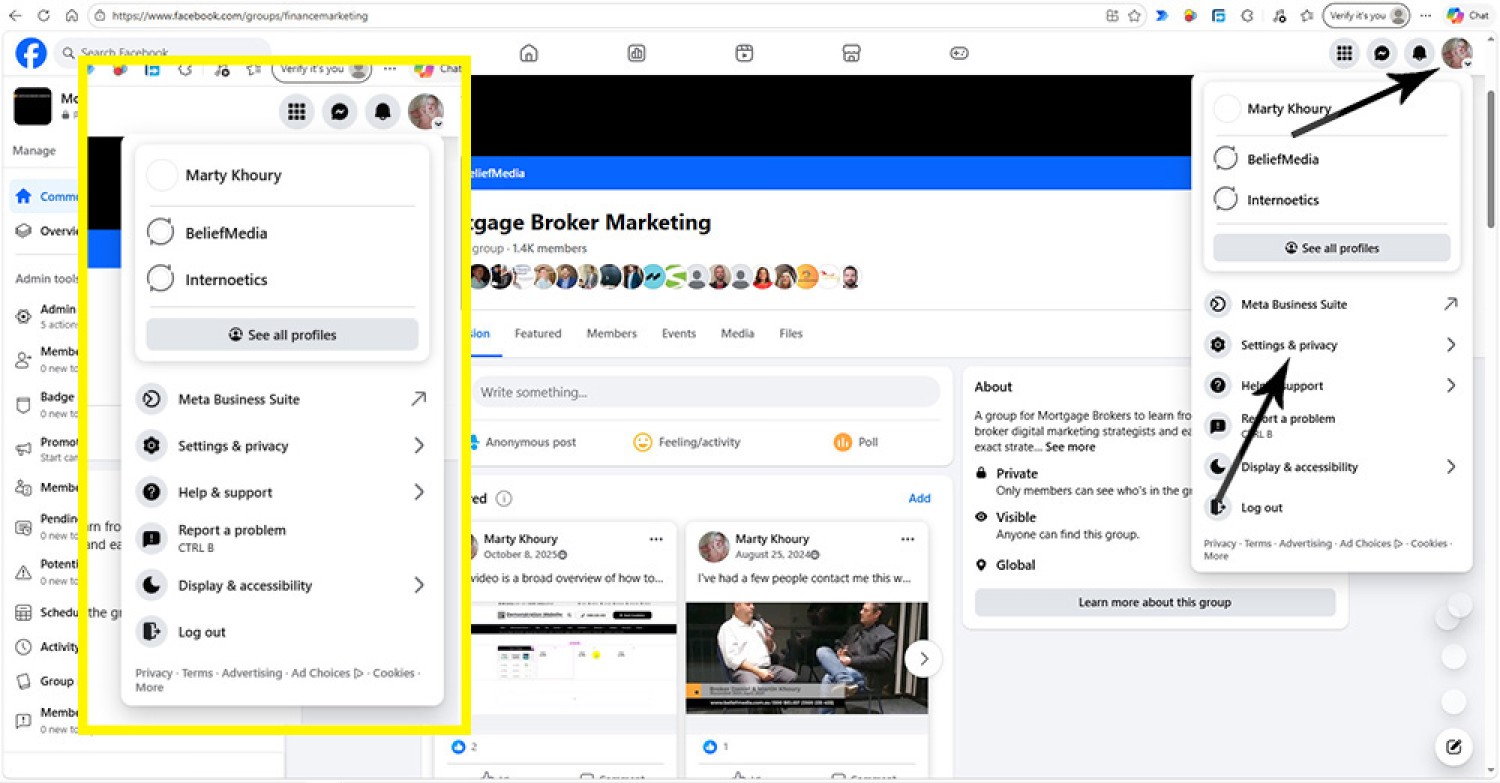
Pictured: Click your profile picture in the top right of your screen. From the returned menu, select 'Settings & Privacy'.
When you click 'Settings & Privacy', a new menu is returned. Select 'Privacy'.
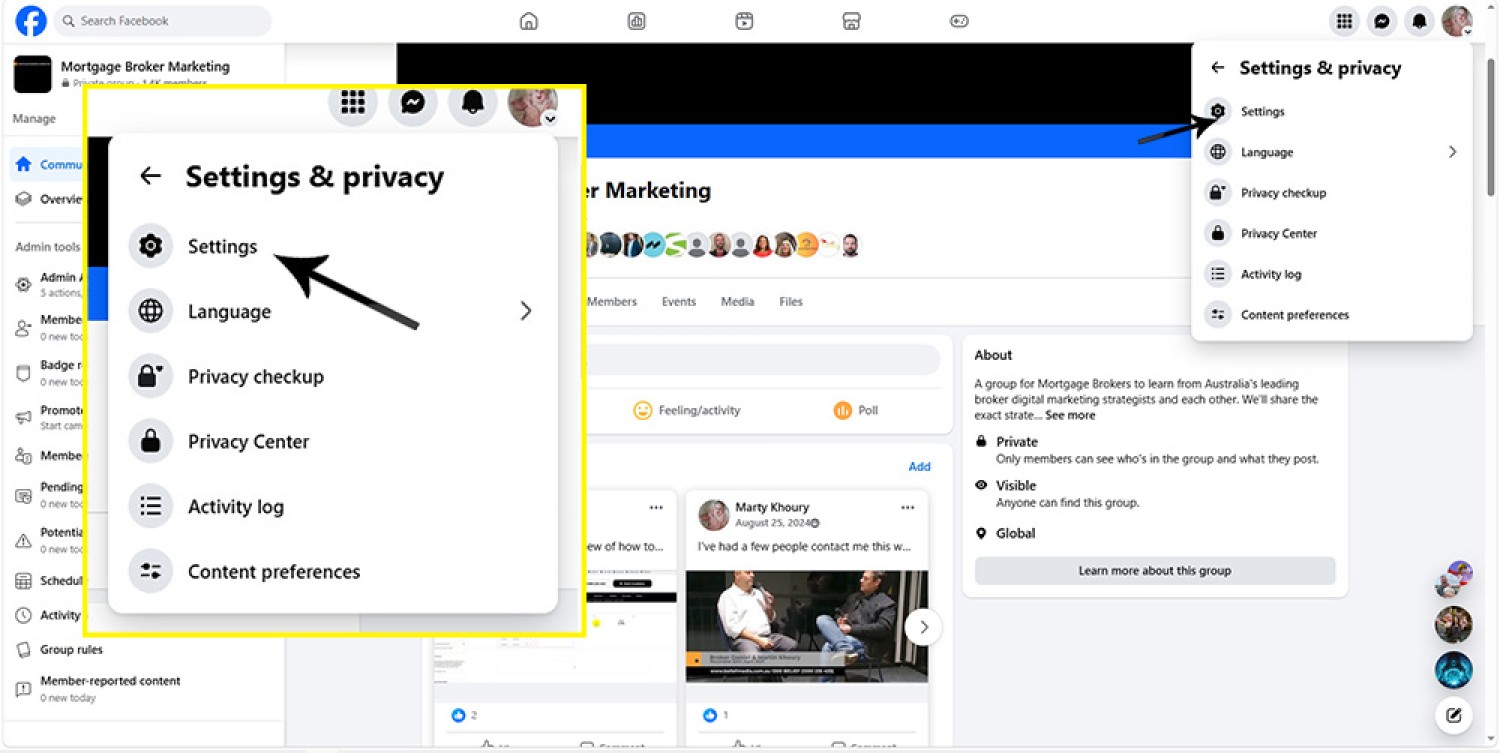
Pictured: When you click 'Settings & Privacy', a new menu is returned. Select 'Privacy'.
From the returned screen, select 'Account Center' from the top left of the screen.
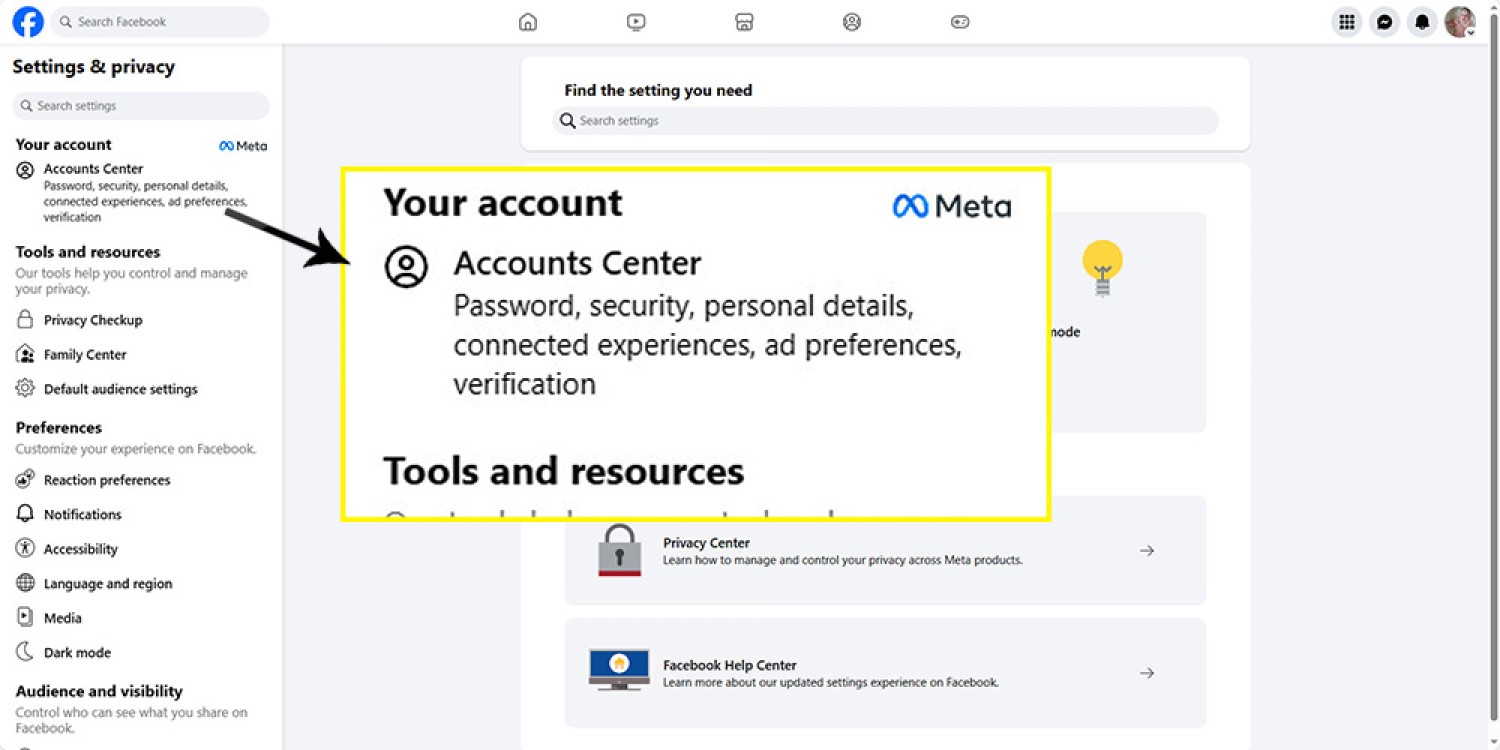
Pictured: From the returned screen, select 'Account Center' from the top left of the screen.
The page returns a number of accounts registered to you. Select your personal account, right click it, and save the link. The link includes the ID.
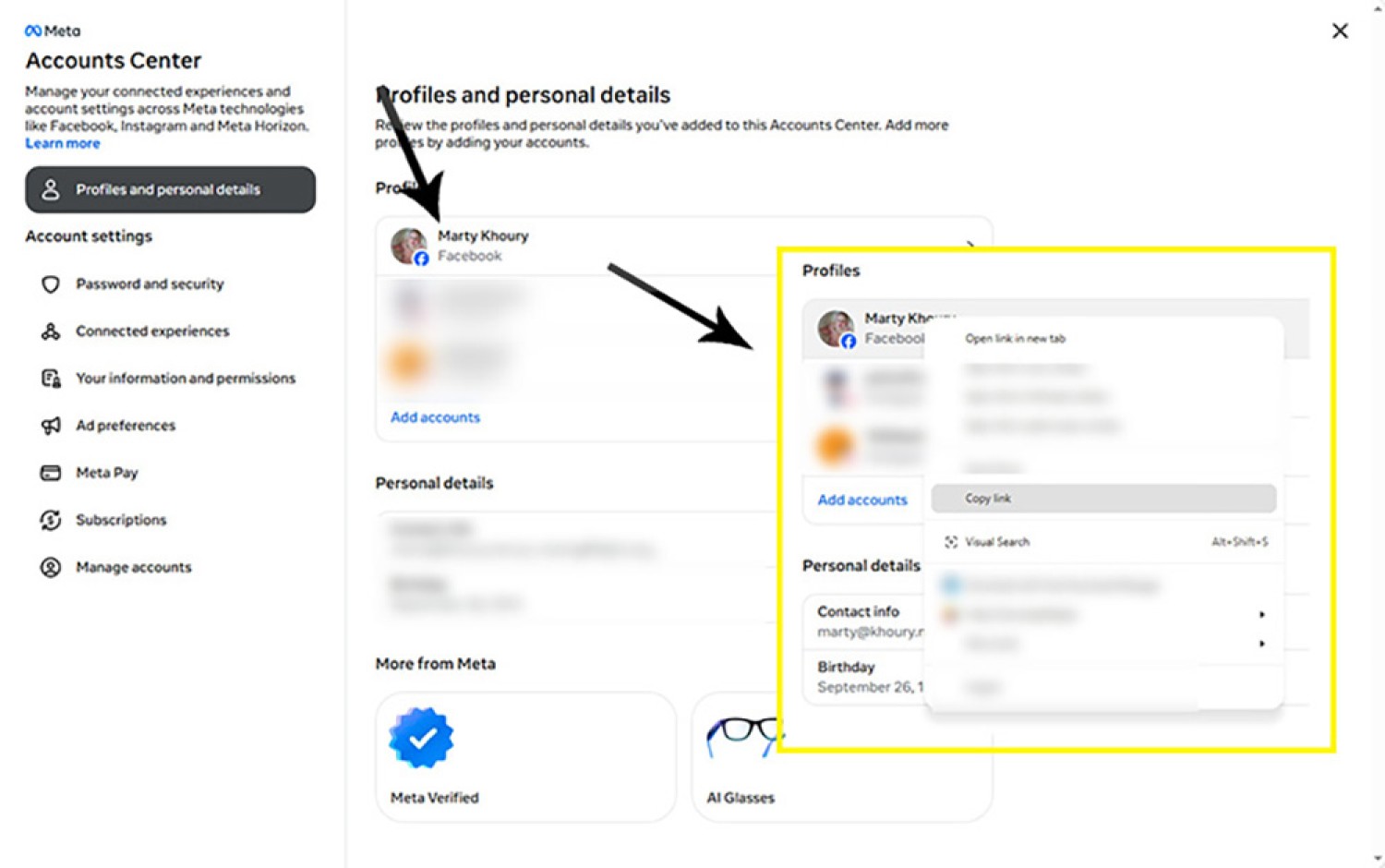
Pictured: The page returns a number of accounts registered to you. Select your personal account, right click it, and save the link. The link includes the ID.
Send the copied URL to us via any method.