IN early versions of our website framework, we would often deliver websites with the default text link colour. At other times, a user will want to alter their link colour simply because they can. This FAQ will details how to change the global link colour applied to all links on your website. In newer frameworks (of those after version 2410, or October 2024, the links are managed in the same way as any other global colour.
Let's look at the standard FAQ title (which is, of course, created and crafted via the Titles Module). Older frameworks may be delivered with links that present as follows:

Pictured: The default colour link colour was previously a shade or red. This colour was later modified, but in the case of some websites it remains unaltered.
To alter the link colour on earlier frameworks we'll first select the Elementor Site options, select Site Settings, and then Typography. The returned panel provides stylistic and typography options that are applied sitewide.
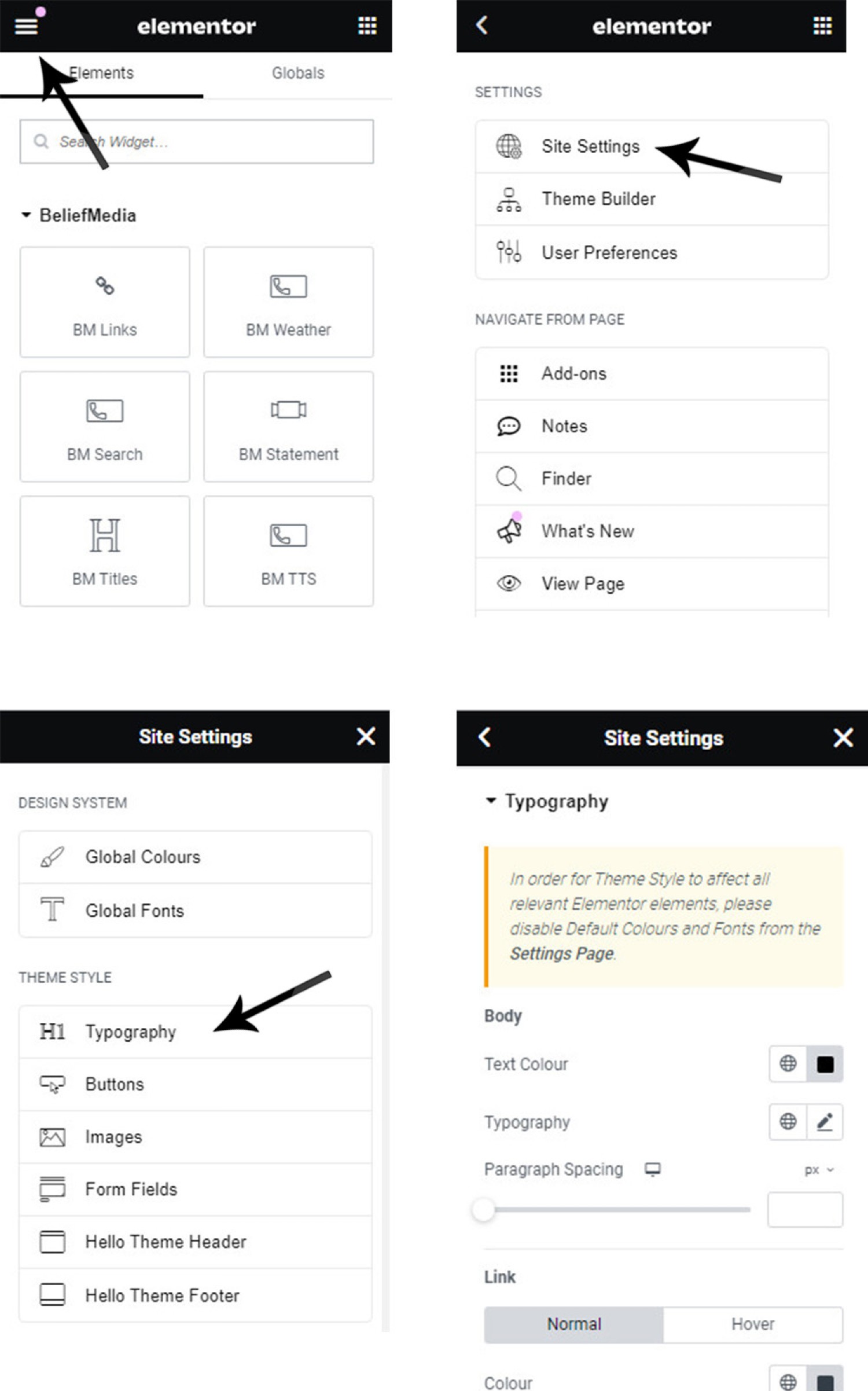
Pictured: To alter the link colour on earlier frameworks we'll first select the Elementor Site options, select Site Settings, and then Typography. The returned panel provides stylistic and typography options that are applied sitewide.
The returned panel provides a large number of typography options. To alter the link colour, use the 'Link' panel. As pictured, select the link colour. You should select the 'Hover' tab to alter the colour applied when a user hovers over your link. If you bounce around you'll find a large number of options.
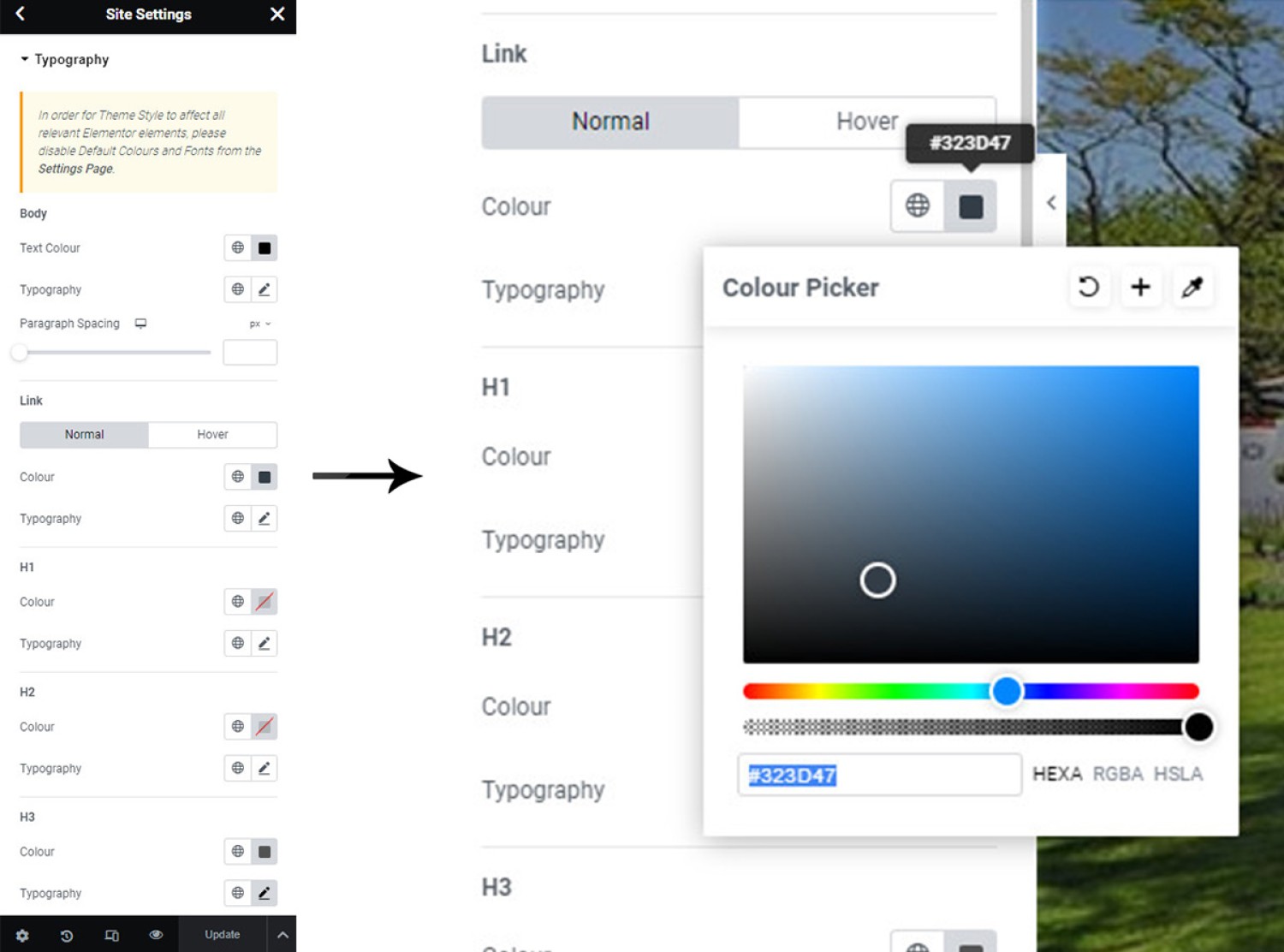
Pictured: The returned panel provides a large number of typography options. To alter the link colour, use the 'Link' panel. As pictured, select the link colour. You should select the 'Hover' tab to alter the colour applied when a user hovers over your link. If you bounce around you'll find a large number of options.
If we apply the colour as pictured, the result of the FAQ title panel would be as follows:

Pictured: If we apply the colour as pictured, the result of the FAQ title panel is shown.
If required, you should alter other topography attributes to your liking and to remain consistent with your branding.
■ ■ ■
Elementor Design FAQs
Elementor is the third-party site-builder shipped with our website framework. We've created a large number of blocks and features that are associated with most modules we build. The following set of FAQs relates to Elementor Design and Customisations that are not connected to Yabber.
IN early versions of our website framework, we would often deliver websites with the default text link colour. At other times, a user will want to alter their link colour simply because they can. This FAQ will details how to change the global link colour applied to all links on your website. In newer frameworks… [ Learn More ]
The website we deliver is built on top of a complete and comprehensive Elementor installation. Elementor is a third-party site-builder that sits on top of WordPress which permits full control over the design of pages. A small but significant Elementor feature is the assignment of Global Colours. The Global Colour panel permits you to quickly… [ Learn More ]