The primary methods of creating website users/authors from Yabber is via the Author panel made available via the Website module. User profiles are created once and then sent to one or more websites in order to become active.
Creating users in Yabber will soon be the default and expected methods of user creation in the future for security purposes. If a user is created in Yabber, Yabber can check the author status and validity before access is granted - this mitigates the most typical login-based abuse that hackers will exploit in order to gain access to your account.
You will find the Author module by following the User icon in the Website module.

Pictured: You will find the Author module by following the User icon in the Website module. The icon links to the Author module within the 'Toolkit' module menu.
Yabber will use the same method of author creation when guest posts are assigned to your website via the article management system.
Creating Authors
To create an author, you should populate the author details in full.
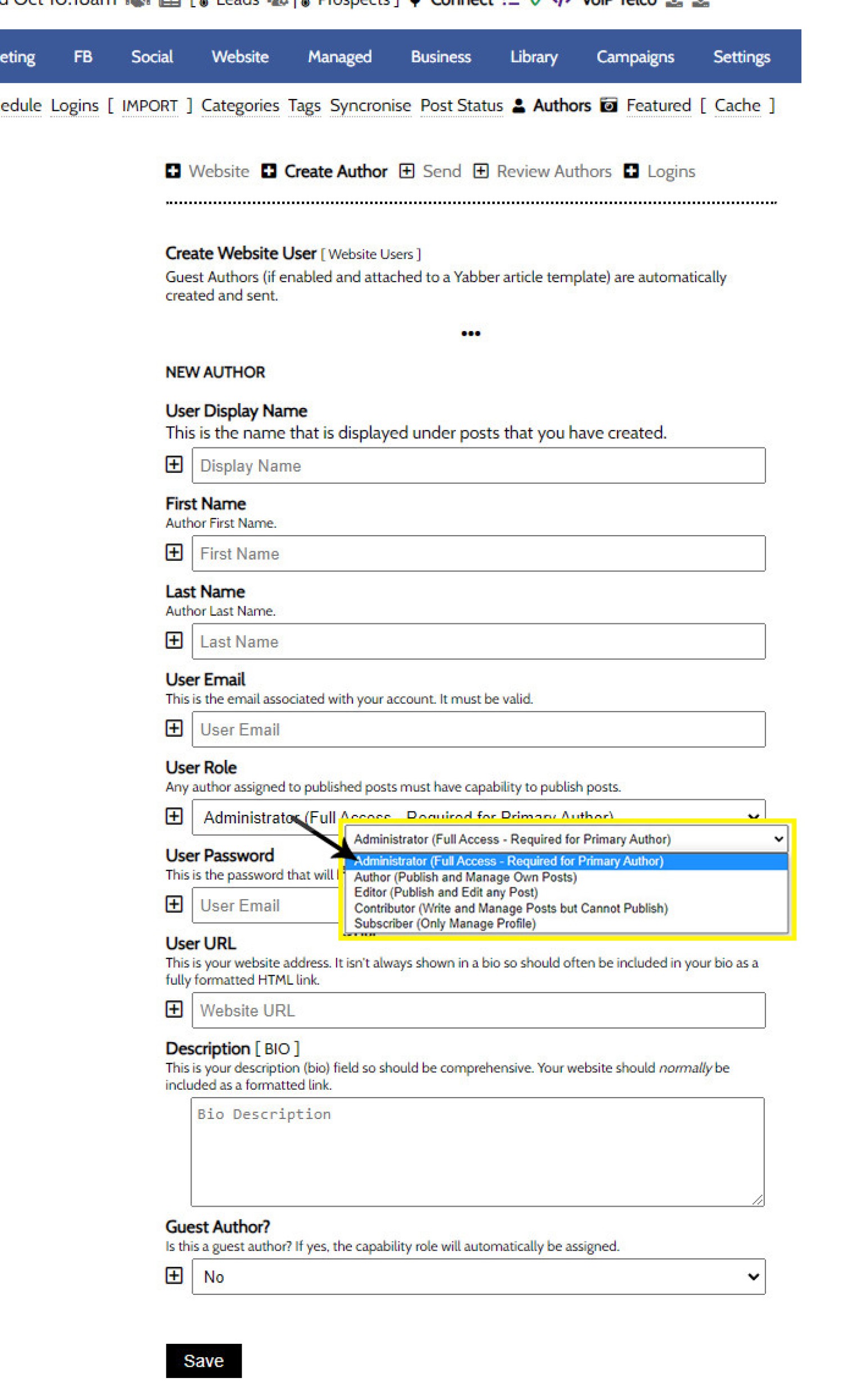
Pictured: To create an author, you should populate the author details in full. Assign the lowest level of access to the user. Assign 'Administrator' privileges only to those that require it.
Once done, click 'Save'. Yabber is a multi website system, so the newly created user profile may be assigned to one or more of your websites.
Send Author to Website
Sending a user/author to a website is managed via the 'Send' panel. Select the website and user, and then 'Send'. The user will become effective immediately.
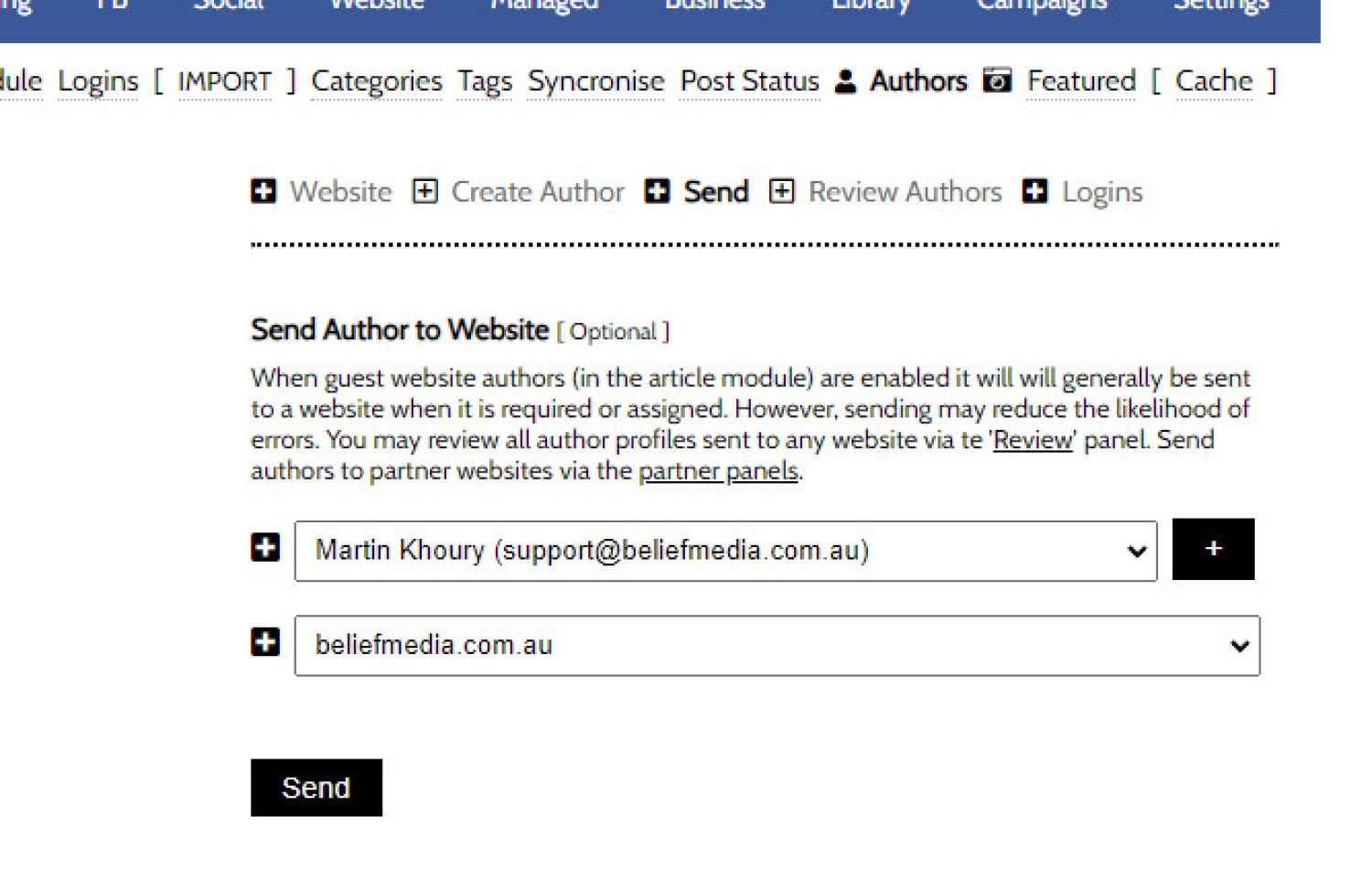
Pictured: Sending a user/author to a website is managed via the 'Send' panel. Select the website and user, and then 'Send'. The user will become effective immediately.
Review and Edit Authors
You may review and edit authors via the 'Review' panel. Each User is returned in a table - click on the 'Edit' icon to update details. Whenever details are altered, you will have to update that user by sending them to your website again.
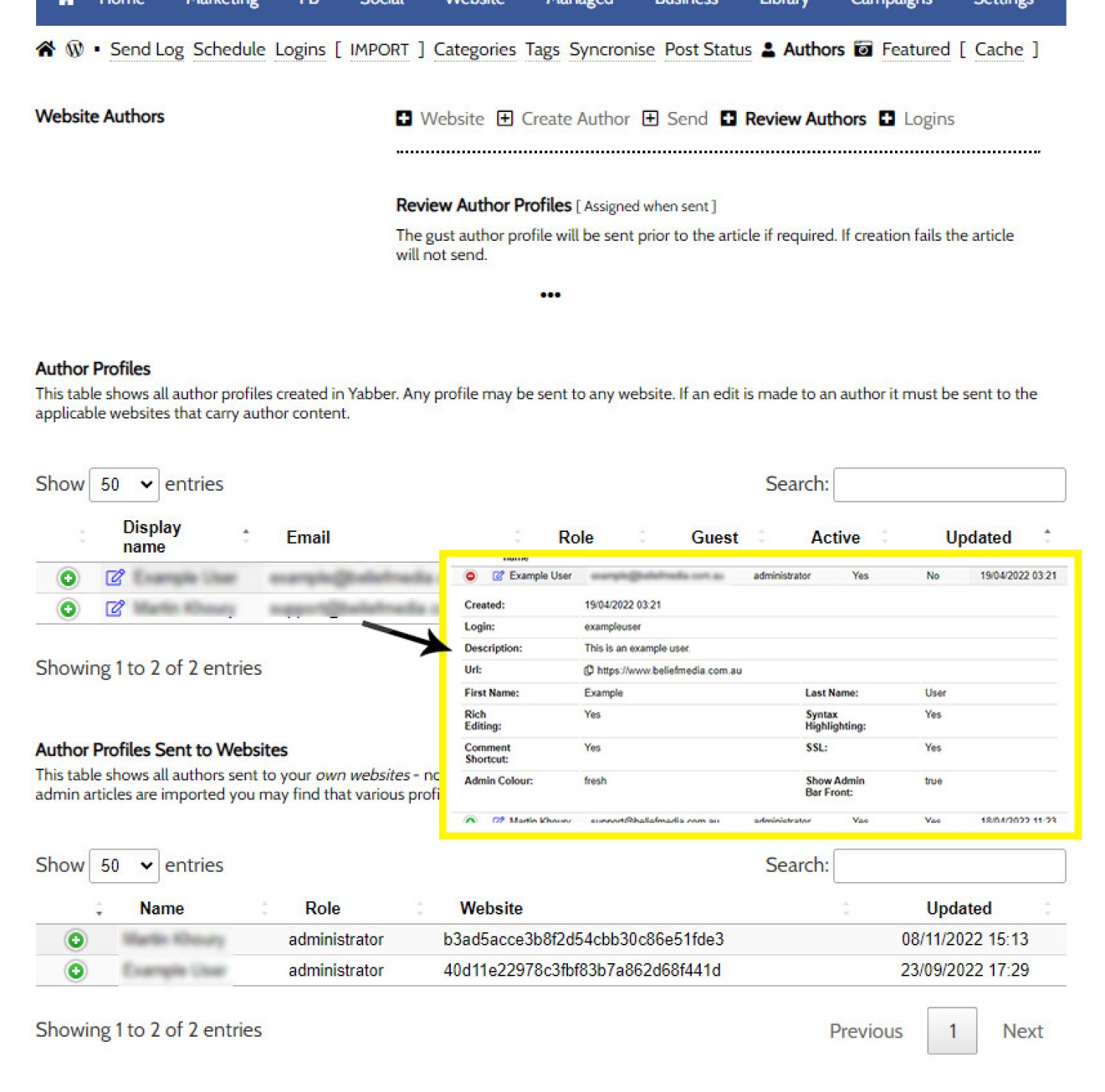
Pictured: You may review and edit authors via the 'Review' panel. Each User is returned in a table - click on the 'Edit' icon to update details. Whenever details are altered, you will have to update that user by sending them to your website again.
A send log is maintained for your records.
■ ■ ■
User Management FAQs
FAQs relating to Website Author and Yabber User options.
The primary methods of creating website users/authors from Yabber is via the Author panel made available via the Website module. User profiles are created once and then sent to one or more websites in order to become active. Creating users in Yabber will soon be the default and expected methods of user creation in the… [ Learn More ]